How Each System Works
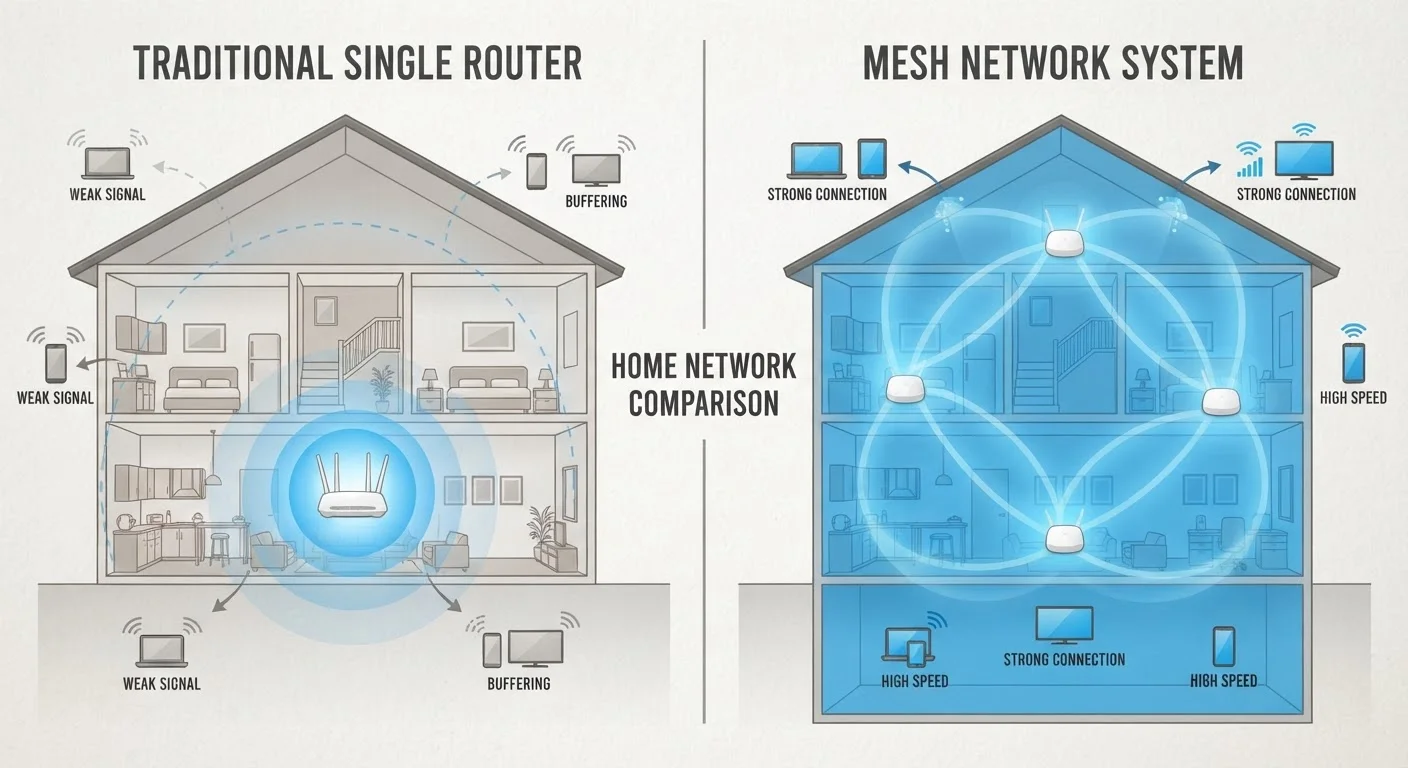
Before comparing the two approaches, it helps to understand what each one actually does. A traditional router is a single device that broadcasts a Wi-Fi signal from one fixed point. Your devices connect to that single access point, and signal strength degrades the farther you move from it. If you're not sure how your router fits into the broader picture of your home network, our guide on modems vs. routers explains how these two devices work together.
A mesh network system, by contrast, uses multiple nodes - a primary router plus one or more satellite units - that communicate with each other to form a single, unified network. Your devices connect to whichever node has the strongest signal, and that handoff happens automatically. The result is more consistent coverage across a wider area, with no separate network names to juggle between rooms.
Coverage, Performance, and Dead Zones
Coverage is the most obvious differentiator. A single router broadcasting from a corner of your home may leave bedrooms, garages, or back patios with weak or no signal. Strategic placement - ideally a central, elevated location - closes much of that gap, and our home Wi-Fi setup walkthrough covers placement in detail.
Even a well-placed traditional router struggles in homes over roughly 2,000 square feet, multi-story layouts, or buildings with concrete or brick walls that absorb radio signals. Mesh systems address this by distributing signal sources throughout the home. Each node acts as a local access point, so a device in the far bedroom connects to a nearby node rather than fighting for signal from a router two floors away.
~25
Average connected devices per U.S. household
According to Deloitte's Digital Media Trends research, the average U.S. household connects roughly 25 devices to home networks.
~30%
Homes reporting Wi-Fi dead zones
Industry surveys have consistently found that roughly a quarter to a third of U.S. households experience noticeable dead zones or weak spots in their home Wi-Fi coverage.
It's worth noting that mesh performance depends heavily on node placement as well. Nodes placed too far apart, or separated by too many walls, still produce weak links. The goal is overlapping coverage zones, not just distance.
Setup, Management, and Technical Complexity
Traditional routers have a longer setup history, and while the initial configuration has become simpler over the years, advanced settings - port forwarding, QoS prioritization, firmware updates - still require logging into a browser-based admin panel that can feel dated and opaque.
Most mesh systems are designed around smartphone apps that walk users through installation and surface key settings in plain language. Firmware updates often happen automatically in the background. For households where one person manages the network for less tech-savvy family members, that simplicity has real practical value.
Test Placement Before Committing
Before purchasing additional nodes or a full mesh kit, try repositioning your existing router to a more central, elevated location. Many reported dead zones shrink significantly with better router placement alone. If problems persist after repositioning, that's a stronger signal that additional hardware is genuinely needed.
The tradeoff is that some mesh systems offer less granular control than a dedicated router running advanced firmware. Power users who want precise control over traffic routing or custom DNS settings may find mesh management apps limiting.
Cost Considerations
Traditional routers span a wide price range. A capable single-band or dual-band unit for a small home can be found at relatively modest cost, while high-performance routers supporting Wi-Fi 6 or Wi-Fi 6E sit at a significantly higher price point. Either way, you're buying one device.
Mesh systems carry a higher entry cost because you're buying multiple units. A two- or three-node kit covers more ground than a single router, but the per-square-foot cost of reliable coverage can end up comparable when you factor in the extenders or additional access points that a traditional setup might still need.
Ongoing costs are similar for both approaches - neither requires a subscription to function, though some mesh manufacturers offer optional cloud features or enhanced security services for a recurring fee. Those add-ons are optional, not required for basic operation.
Device Load and Smart Home Compatibility
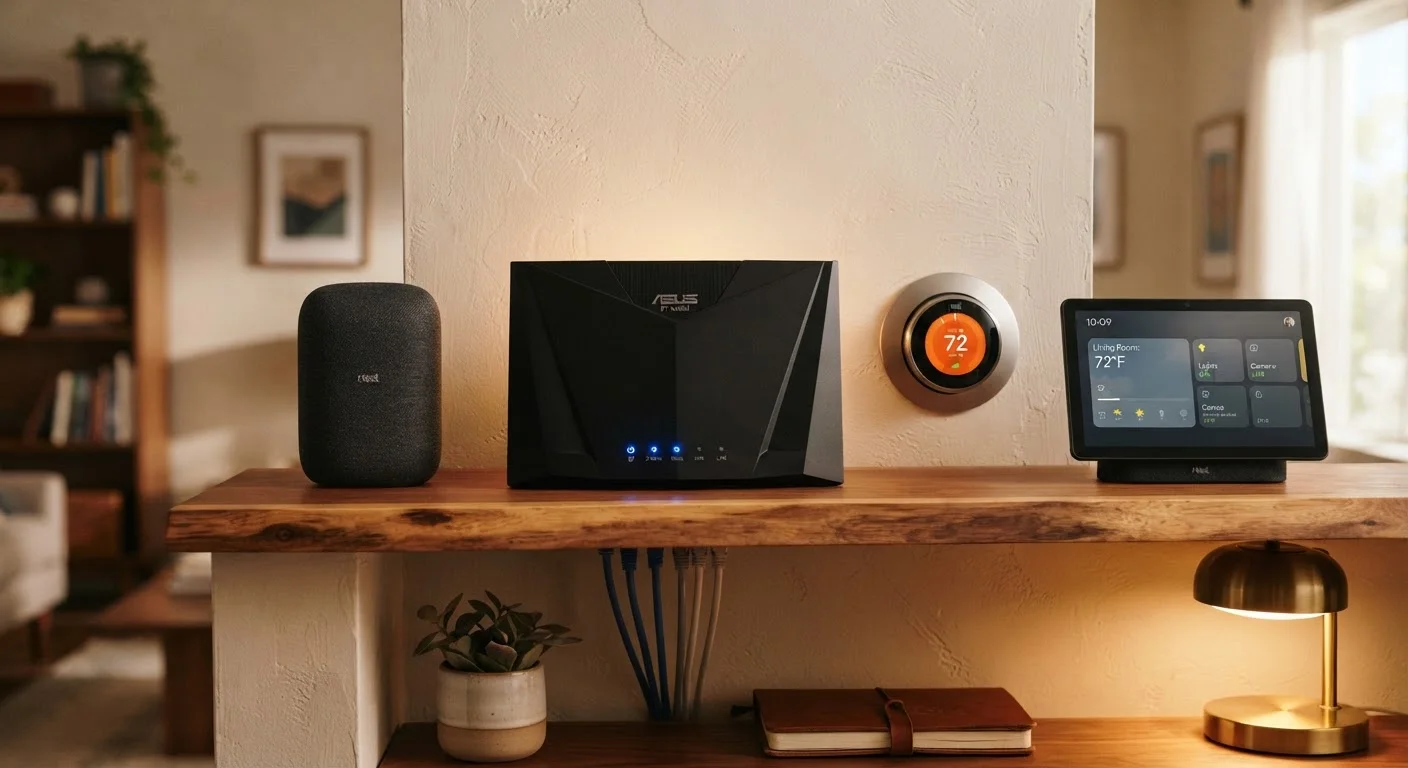
The number of connected devices in the average U.S. home has grown considerably, and that load matters when choosing a network setup. Traditional routers handle modest device counts well, but performance can degrade when dozens of devices - laptops, phones, smart speakers, thermostats, cameras - compete for bandwidth and airtime simultaneously.
Mesh systems with Wi-Fi 6 support handle dense device environments more efficiently through a technology called OFDMA, which allows the router to communicate with multiple devices simultaneously rather than sequentially. If your household is building out a smart home with sensors, cameras, and voice assistants throughout, your network infrastructure should scale alongside it. See our smart device readiness checklist before adding more gadgets to your setup.
Regardless of which system you choose, once it's running, network security deserves attention. Our home network security guide outlines practical steps that apply to both router types.
| Traditional Router | Mesh Network System | |
|---|---|---|
| Ideal home size | Up to ~1,500-2,000 sq ft | 2,000+ sq ft or multi-story |
| Dead zone risk | Higher in large or complex layouts | Lower with proper node placement |
| Upfront cost | Generally lower | Generally higher (multiple units) |
| Setup complexity | Moderate; browser-based admin | Lower; app-guided setup |
| Advanced user control | More granular settings available | May be limited by app interface |
| Dense device performance | Adequate for moderate loads | Better for high device counts |
| Network name (SSID) | Single network from one point | Single unified network across nodes |